Bridge Your SaaS Towers
Orchestrate the custom business logic that lives between SAP, NetSuite, Salesforce, and your microservices.
Compare: LittleHorse vs iPaaS
See when Business-as-Code is a better fit than pre-packaged SaaS connectors.
Read: Callbacks
Handle async ERP confirmations and webhook-driven integrations.
Read: Saga Transactions
Compose reliable transactions across multiple SaaS systems.
Talk to an Expert
Discuss how LittleHorse can orchestrate your SaaS integrations.
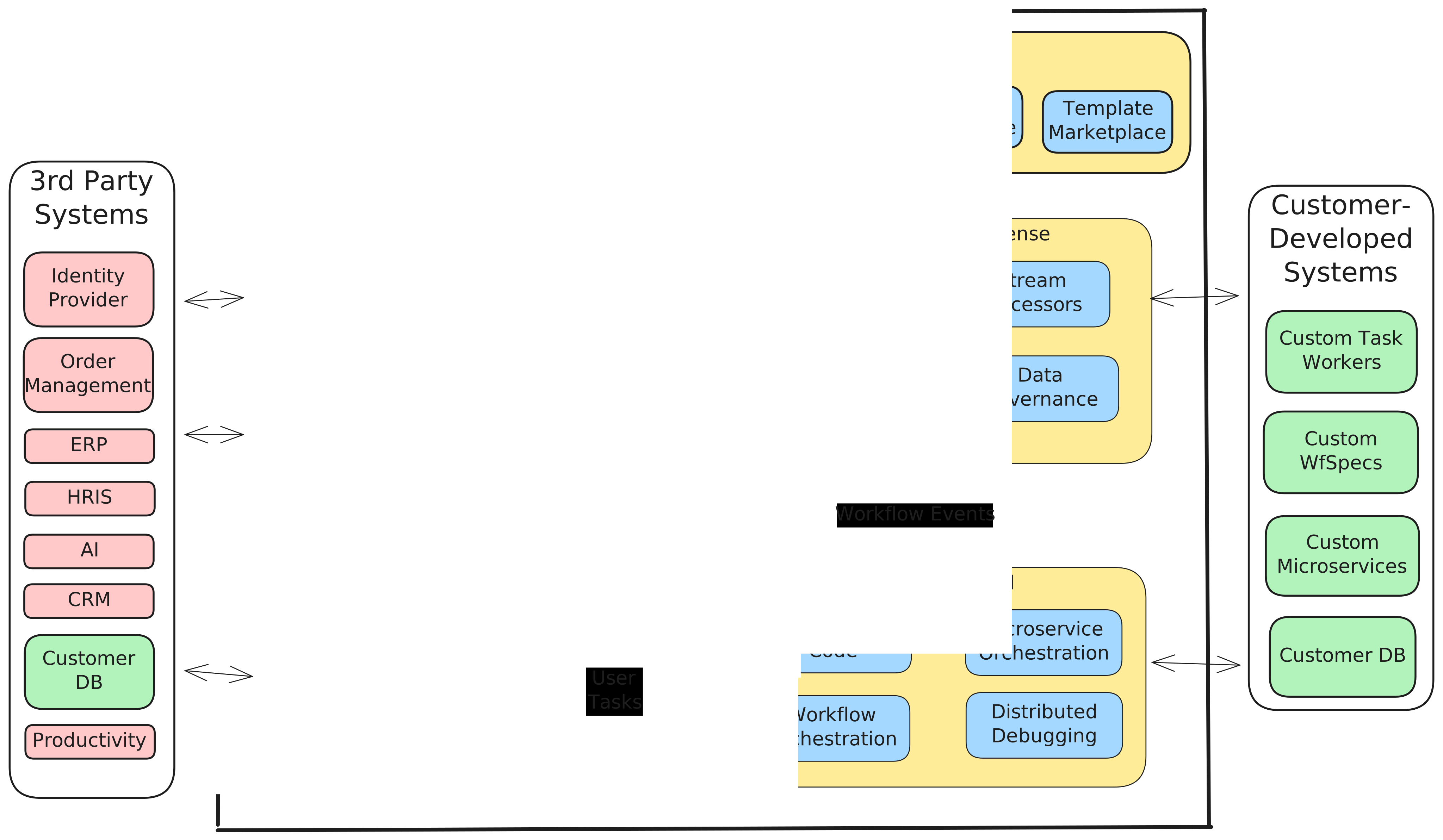
Your SaaS towers don't talk to each other.
Enterprises run on SAP, NetSuite, Salesforce, Oracle, and dozens of other SaaS platforms — but the valuable business processes live in the gaps between them. Point-to-point integrations and iPaaS connectors move data, but they can't orchestrate the end-to-end process.
When something fails halfway through a cross-system flow, there is no single place to see what happened, retry the failed step, or roll back the systems that already committed. Engineering teams burn sprints on reliability plumbing instead of delivering business value.
Build competitive advantage between your SaaS towers.
LittleHorse sits at the center of your architecture as a command center. Kafka Connectors bring events from external systems into workflows, Task Workers push data out, and the WfSpec governs the entire multi-system process in code.
Keep your SaaS platforms for what they do best. Use LittleHorse to build the custom, differentiated processes that sit between and around them — the processes that create competitive advantage.
Your business is unique and complex, but SaaS systems are one-size-fits-few. Don't let legacy SaaS dictate how your business runs.
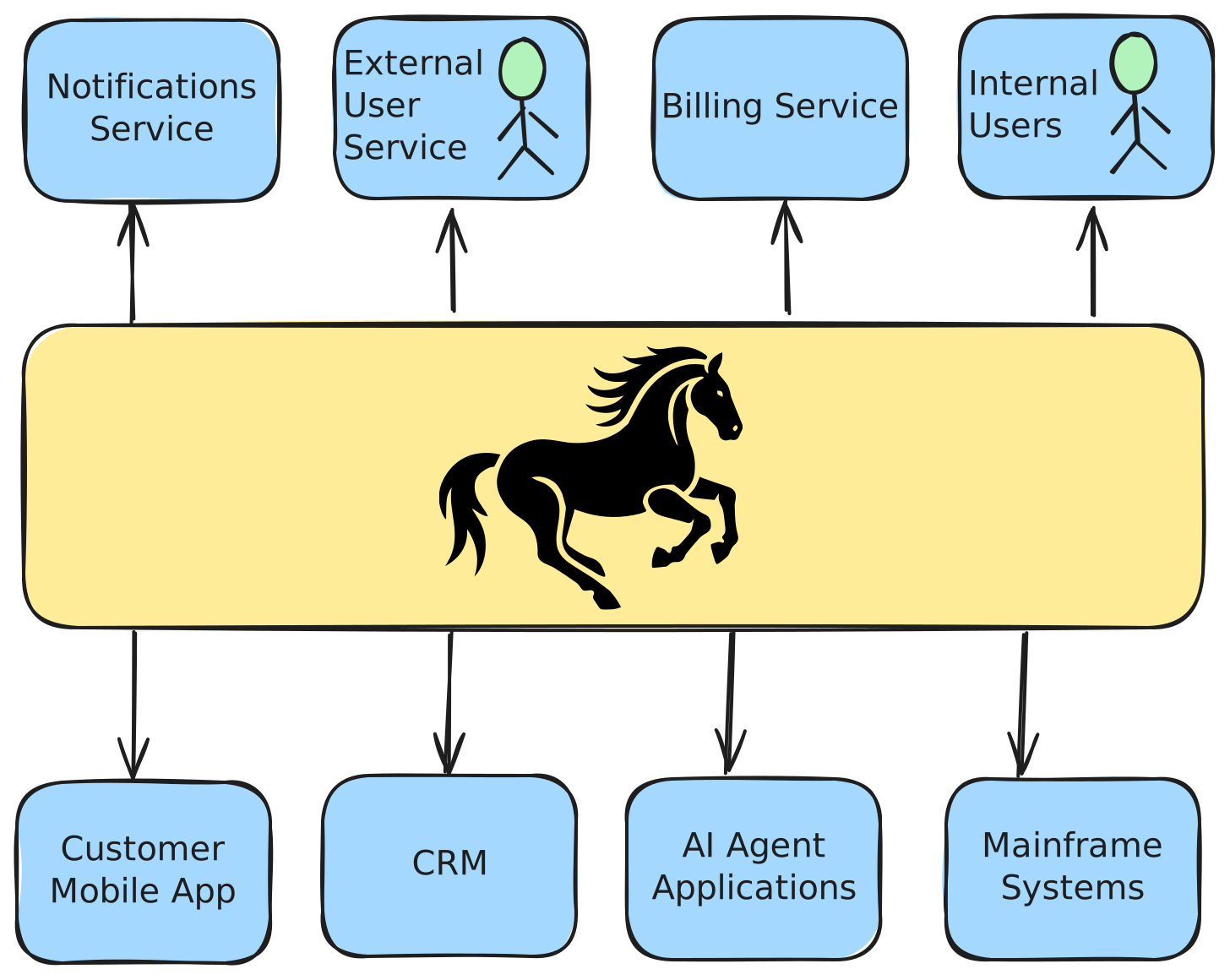
How Teams Are Using LittleHorse to Wrangle SaaS
SaaS Cost Containment
How do I replace expensive SaaS modules with custom processes without sacrificing reliability?
Without LittleHorse
- ✕Afraid to turn off SaaS modules due to reliability concerns
- ✕Custom code without retries, monitoring, or audit trails
- ✕Engineering time lost on infrastructure instead of business logic
With LittleHorse
- ✓Code your custom process; LittleHorse handles durability
- ✓Full audit trail and tracing for every execution
- ✓Coding agents accelerate development of new integrations
Cross-System Order Flow
How do I synchronize an order across my e-commerce platform, ERP, CRM, and shipping provider?
Without LittleHorse
- ✕Fragile point-to-point integrations between systems
- ✕Manual retries when a SaaS API goes down
- ✕No single view of order state across systems
With LittleHorse
- ✓One WfSpec orchestrates the full cross-system flow
- ✓Built-in retries, timeouts, and SAGA rollbacks
- ✓Dashboard shows order progress across every system
ERP Sync with Callbacks
How do I push data to an ERP system, wait for async confirmation, and continue processing?
Without LittleHorse
- ✕Custom polling or webhook infrastructure
- ✕Persist and correlate in-flight state yourself
- ✕Handle timeouts and stale processes manually
With LittleHorse
- ✓ExternalEvent pauses the workflow until the callback arrives
- ✓Declarative timeouts and failure handlers in code
- ✓Kafka Connector routes callbacks automatically
Orchestrate Cross-System Flows with a WfSpec
A WfSpec defines the full multi-system process: validate the order, push to the ERP, wait for confirmation, update the CRM. Each SaaS integration is a simple task call — the workflow handles sequencing, timeouts, and failure recovery.
When a callback takes too long or an API returns an error, the WfSpec knows exactly what to do: retry, escalate, or roll back across every system that was touched.
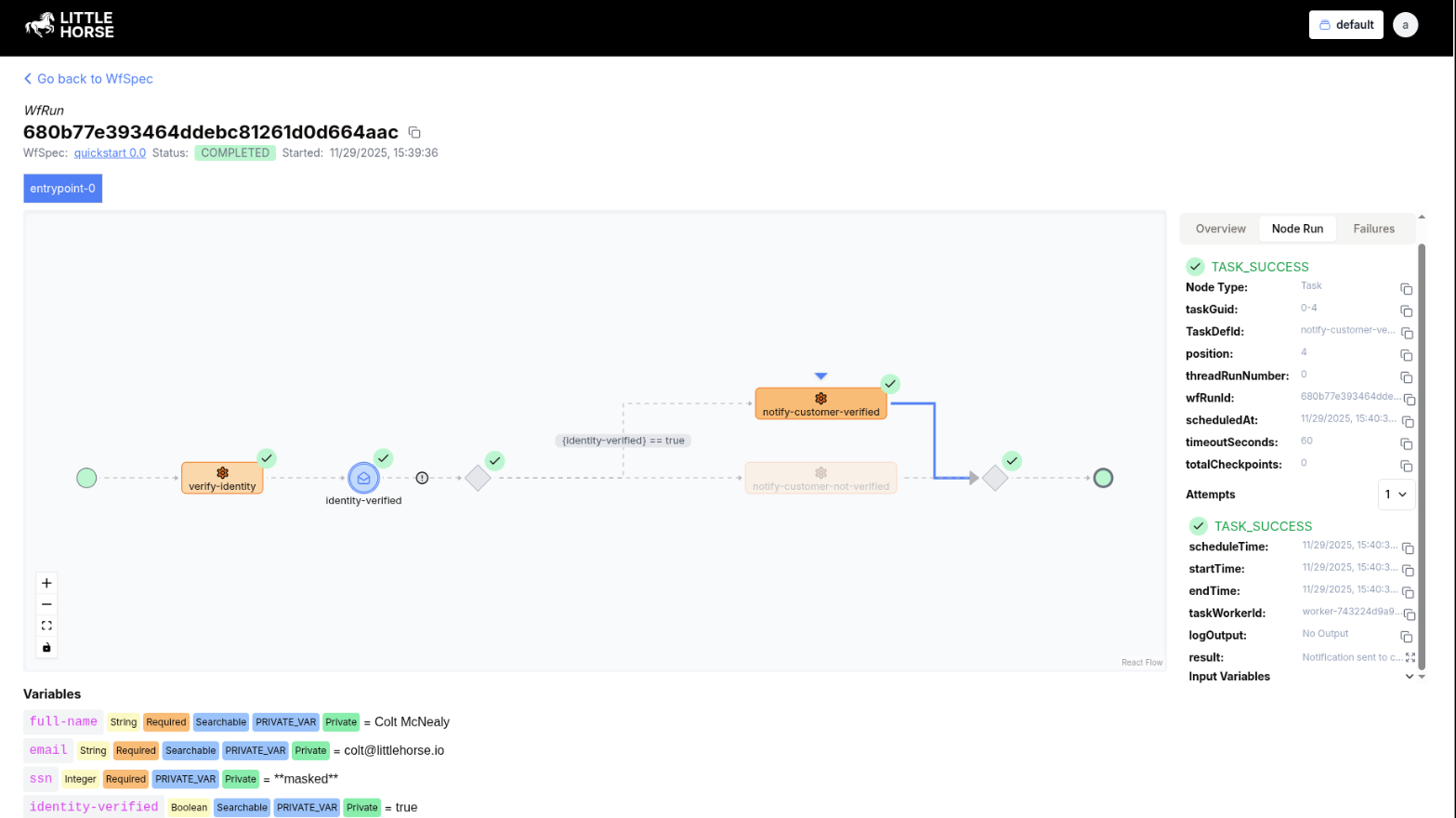
Audit Every Step of Every Integration
The LittleHorse dashboard shows you real-time state of every cross-system workflow: which SaaS calls succeeded, which are awaiting callbacks, what data flowed between systems, and where failures occurred.
When finance asks why an order didn't sync to NetSuite, you don't dig through five different vendor consoles. Open the workflow run and see exactly what happened.
Go deeper
Read about the patterns that power cross-system integration.
Business-as-Code
Why codifying business processes in code gives teams governance, observability, and agility.
Callbacks
Reliably handle processes that wait for callbacks or external events.
Saga Transactions
Compose reliable business transactions across multiple disparate systems.
Retries & DLQ
Make your integrations resilient to failures and malformed messages.
Start Codifying Your Business.
Connect your SaaS stack. Build what's between the towers. Let LittleHorse be your command center.